Env Guard adds a color-coded border to URLs you choose, helping you distinguish production, staging, and development while you work.
Features
A focused tool that makes the environment you are working in easier to recognize.
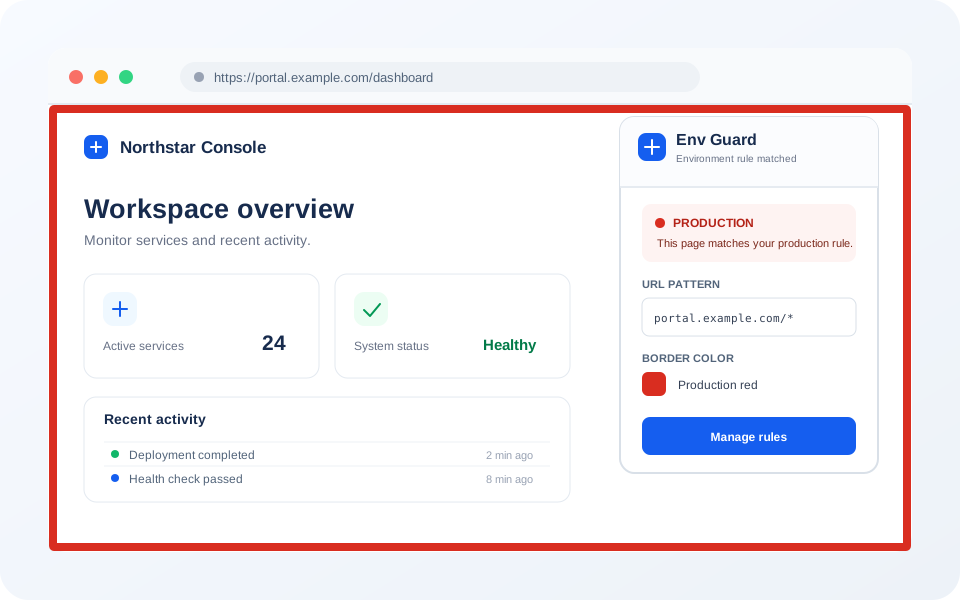
A bold border wraps your entire browser window in the color you choose for each environment.
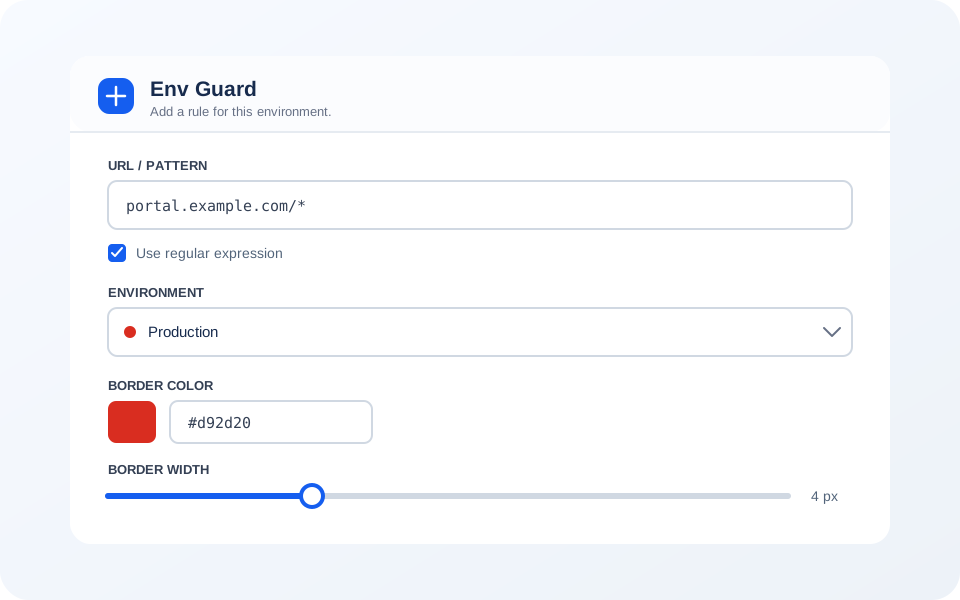
Match URLs using wildcards or full regular expressions. One rule can cover an entire domain or a single path.
Production, Staging, QA, Development, or Custom — pick the label that fits and pair it with any color.
Dial the border thickness from 1 to 20 px per rule so it's visible without being distracting.
Rules sync through Chrome's built-in storage. Env Guard has no developer-operated server, analytics, or tracking.
Changes apply immediately — no page reload required. Add a rule and the border appears right away.
Screenshots
How it works
Three steps to add a clear visual cue to the environments you use.
Add Env Guard from the Chrome Web Store. No account or sign-up required.
Click the toolbar icon, enter a URL pattern or regex, pick an environment, choose a color and border width.
Visit any matching URL and the color border appears immediately — a clear, persistent visual signal.
Free, open source, and takes less than a minute to set up.